.png)
.png) 2 months ago
19
2 months ago
19


Published May 16, 2026, 12:10 PM EDT
Melissa Sarnowski is a Gaming Writer at DualShockers who has been covering games professionally since 2022. She specializes in lists, reviews, and features, with additional experience writing guides for Hardcore Gamer.
Before joining DualShockers, Melissa contributed to Screen Rant, and she currently writes for CBR and Hardcore Gamer in addition to DualShockers. Her work focuses heavily on RPGs, horror games, MMOs, indie games, and simulation games, with recurring coverage of franchises such as Final Fantasy, Resident Evil, The Legend of Zelda, and The Sims. She holds a Bachelor of Science in English from the University of Wisconsin–Madison.
Subnautica 2 makes you craft to survive, as well as craft to unlock more crafts. The Repair Tool is one of the crafts you'll use to access wreckages that are closed off when you first start the game, as you need to repair parts of them in order to get inside and scan the items they contain for blueprints.
 Related
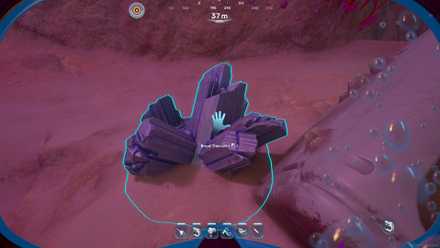
Subnautica 2: How to Get Titanium Ingots
Gain the power to repair with Titanium Ingots.
While the Repair Tool is easy in theory to unlock and craft, it ends up being time-consuming simply because of how far you have to swim to each location to unlock its blueprint and how limited your resources are when you start the game.
To unlock the Repair Tool Blueprint, you need to scan three Repair Tools that have been left behind by previous ocean inhabitants. Since the Lifepod is a convenient point for navigating when you don't have an in-game map, all the scan locations will be in relation to it.
The closest Repair Tool is roughly 220 meters to the southeast of the Lifepod. You'll see a tall rock spire with an opening around it. Head into the opening to find a hatch into a habitat where there's a Repair Tool sitting on a workbench. Scan the tool for your first part of the blueprint.
Your next closest scan location is about 275 meters to the south of the Lifepod. There's a large wreckage at this location that you can enter. Unlike the previous location, there's more area inside to explore. You want to find what was once an elevator and swim through the shaft. Then, look for a couch that has the Repair Tool sitting on it. Scan the tool, and you'll be ready to move to the last location.
Your final stop is about 380 meters to the northeast of the Lifepod. There's another wreckage at this location that you can swim inside. This time, you want to search for the window, which is where the Repair Tool is sitting. Scan the tool, and you'll finally have the blueprint available to craft.
Crafting the Repair Tool

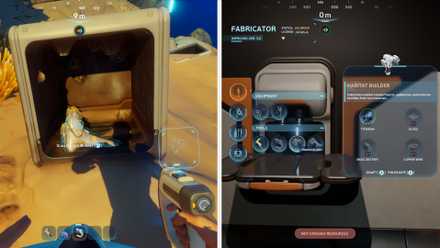
With the blueprint, you can return to your habitat and interact with your Fabricator to craft a Repair Tool, assuming you've already gathered the necessary materials. If you haven't, then you'll first need to get:
- 1 Titanium Ingot
- 1 Wiring Kit
- 1 Basic Battery
- 1 Sulfur
The Repair Tool acts like a combination of a Scanner and Fabricator, which lets you repair vehicles and bases. This means you can use the Repair Tool to get inside abandoned habitats and wreckage that are broken in ways that otherwise prevent you from being able to access them. In particular, this means you can find equipment such as the Rebreather, letting you unlock the blueprint to make your own and help you survive longer underwater.
As with the rest of your tools, the Repair Tool uses energy, so if you plan on using it a lot, you'll need to have some spare batteries available to recharge it. Luckily, it doesn't drain too much energy at once, so you should be able to use it a fair amount before its charge runs out in Subnautica 2.
 Next
Next

Systems


Released May 14, 2026
ESRB Everyone 10+ / Language, Fantasy Violence
Publisher(s) Krafton








![ELDEN RING NIGHTREIGN: Deluxe Edition [FitGirl Repack]](https://i5.imageban.ru/out/2025/05/30/c2e3dcd3fc13fa43f3e4306eeea33a6f.jpg)
 English (US) ·