.png)
 6 months ago
86
6 months ago
86

Game Details
Release name : Solo Leveling ARISE OVERDRIVE v1.1.71.0 + ONLINE
Size : 40.94 GB
Title : Solo Leveling: ARISE OVERDRIVE
Genre : Action, RPG
Developer : Netmarble Neo
Publisher : Netmarble
Store : click here
Release Date : 24 Nov, 2025
Credits / Released By: OFME
Screenshots
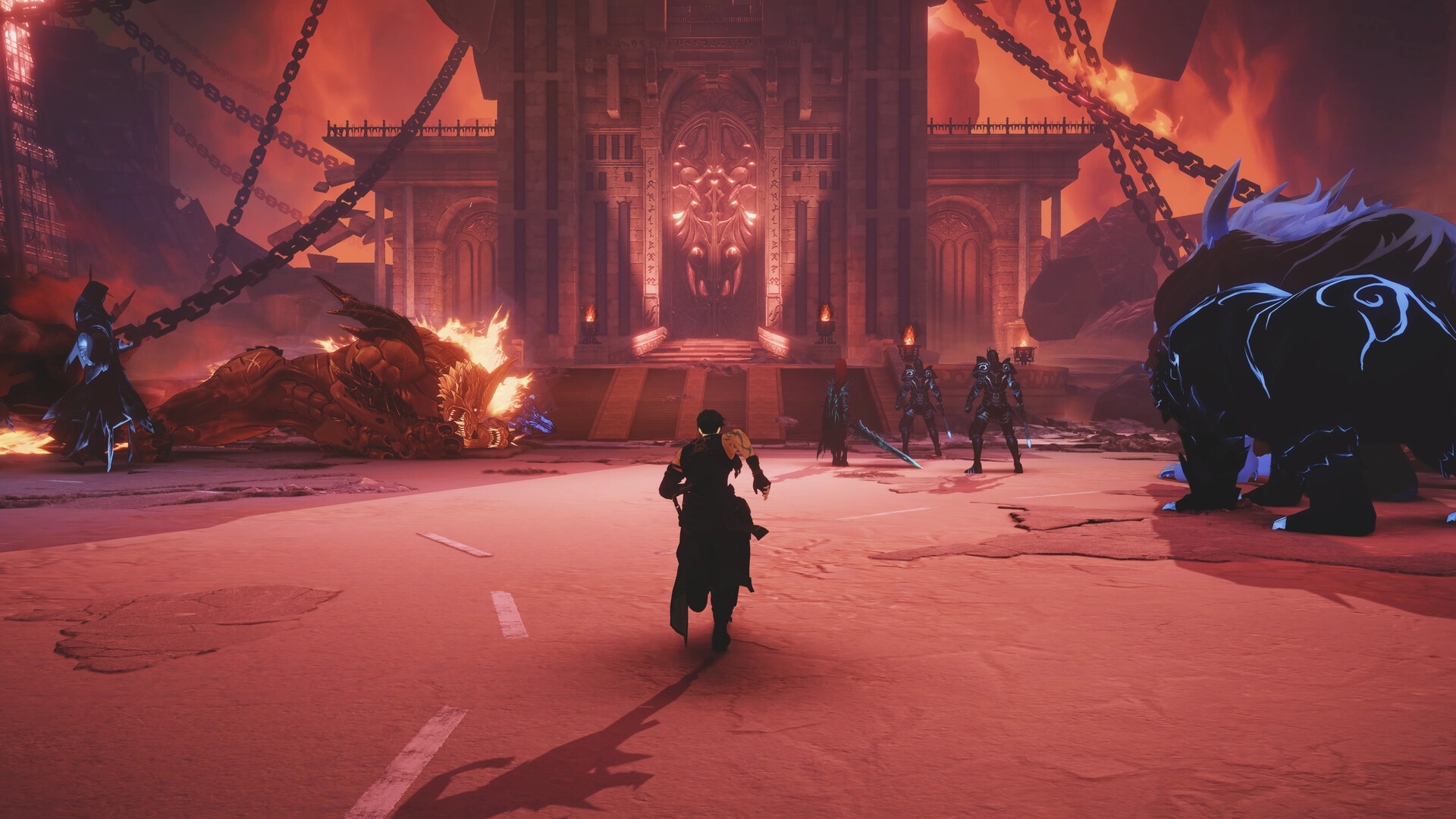
Gameplay
About This Game :
[The Beloved Story Retold with Brand-new Chapters]
Join Sung Jinwoo on his journey to become the world’s strongest hunter!
Dive into both the original story from the webtoon and new adventures exclusive to the game!
[Elevated Action]
Experience dynamic, gorgeously animated combat that evolves with your choice of weapons and skill combos!
Dodge monster attacks with Extreme Evasion and land a powerful counterattack with the perfect parry.
Build your own unique combat style through a skill tree that branches into 8 different job advancements!
[Sung Jinwoo, the Monarch of Shadows]
Overwhelm the battlefield with abilities unlocked through your Monarch’s Awakening.
Experience Sung Jinwoo’s transformation into the [Ultimate Monarch of Shadows],
succeeding Ashborn and growing through a Monarch Awakening system that adapts to every combat situation.
[4-Player Co-op Raids]
Defeat the mighty Commanders in co-op raids.
Choose between fighting as Jinwoo or as a party of other hunters and take them out!
[A Robust Weapon Crafting System]
Defeat monsters in the field and use the various items you obtain from them to craft weapons!
Make and use powerful weapons from the original webtoon like Kasaka’s Venom Fang and the Demon King’s Daggers!
System Requirements for Solo Leveling: ARISE OVERDRIVE
MINIMUM :
- OS: Windows 10/11 (64-bit Required)
- Processor: i5 4460 3.2 GHz Over or AMD equivalent
- Memory: 12 GB RAM
- Graphics: NVIDIA® GeForce GTX™ 1050 Over
- DirectX: Version 11
- Network: Broadband Internet connection
- Storage: 40 GB available space
- Additional Notes: SSD recommended
RECOMMENDED :
- OS: Windows 11 (64-bit Required)
- Processor: i5-9400 2.9 GHz Over or AMD equivalent
- Memory: 16 GB RAM
- Graphics: NVIDIA® GeForce GTX™ 2060 Over
- DirectX: Version 11
- Network: Broadband Internet connection
- Storage: 40 GB available space
- Additional Notes: SSD recommended
How To Install Solo Leveling: ARISE OVERDRIVE
1. Download The Game.
2. Extract with WinRAR
3. Play!.
How To play Solo Leveling: ARISE OVERDRIVE ONLINE
At least Windows 10 x64 version 1909 or later with Microsoft Store, Xbox, Xbox Gaming Services installed.
1. Download the “Online Crack” from the link provided below and extract the files. After extraction, move the contents into your game’s main installation directory.
2. Launch the GDK_Helper.bat that is located in the folder with the game. (performed once)
3. Enable Developer Mode. (restart the PC, if necessary) (performed once)
Before enabling Developer Mode, check out what it is on the Internet.
4. Install the game. (performed once)
5. Disable Developer Mode. (performed once)
6. Start the game from the start menu.
7. Complete the first two chapters.
8. Joining: Co-Op Play > Search Co-Op Lobby IDs > Enter your friend’s lobby ID and connect to it.
Hosting: Co-Op Play > Co-Op Lobby > Create Co-Op Lobby > Enter > Share the lobby ID with your friends > We’re expecting more players to join.
9. Enjoy !
Notes:
- The game already comes with the “Online Crack” pre-applied, so you can skip Step #1 mentioned above. However, if your antivirus software removes the “Online Crack” files, you’ll need to reapply them manually.
- You can play on official servers.
Download Solo Leveling: ARISE OVERDRIVE
Direct Link
Download Solo Leveling: ARISE OVERDRIVE Direct Link
Part Links
Part 1 to 11 (4GB)
Online Crack
Download Solo Leveling: ARISE OVERDRIVE Crack Online






![ELDEN RING NIGHTREIGN: Deluxe Edition [FitGirl Repack]](https://i5.imageban.ru/out/2025/05/30/c2e3dcd3fc13fa43f3e4306eeea33a6f.jpg)

 English (US) ·