.png)
.png) 6 months ago
67
6 months ago
67

Nearly every survival game has a crafting mechanic that allows you to build various items, weapons, and even base structures. StarRuptures offers the same type of mechanics, allowing you to create a large futuristic base on an alien planet full of dangers.
Imagine this scenario: you've just built a large portion of your base, but you now need to create room for a building you didn't know you'd need. Now, you need to expand your base and move buildings around, but you don't know how to destroy your buildings.

Related
StarRupture: How to Get Rotor and Tube Blueprints
On an Alien Planet you need everything you can find.
Let's break down everything you need to know about destroying buildings in StarRupture so that you can make room for new structures.
Destroying Buildings in StarRupture

So, you've just worked yourself to death getting some Wolfram Ore and Titanium. You've created a bunch of Basic Building Material and got to work crafting the perfect base to help you survive.
Unfortunately, you've placed a building in the wrong spot, you need to make room, or you simply want to change things around you. Now, you need to destroy the items you've created. Luckily, you can do it pretty easily.
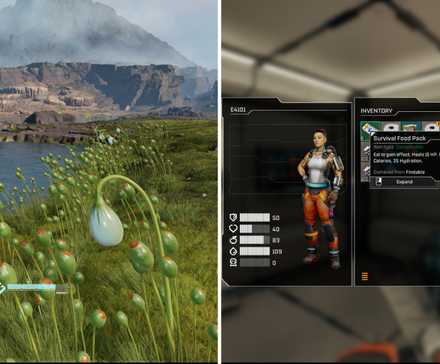
Normally, you press the B key to bring up the creation tool, allowing you to build various structures and create a thriving base. To destroy items, you need to start by pressing the F key.
Doing this will bring up the same device you use to build base structures, but it will look slightly different. With this device, any structure you point at will be highlighted in orange.
Related
StarRupture: How to Get and Drink Water
You need to know how to get and drink water in StarRupture if you want to survive more than a day.
While this tool is out, pointing at a structure and holding the left mouse button will allow you to delete the structure. You will notice that a wheel will start to deplete. Once it is depleted, the structure will permanently disappear.
If you delete an item like the fabricator or smelter, you will also lose the items inside. Also, deleting a structure that is necessary for support will delete all structures being supported by said object.
After you have deleted a structure, you will be given the amount of building material it is worth. The amount you will receive is located next to the reticle when you highlight a structure.

Certain structures, like rails, can be deleted by segment, but deleting a junction rail will also delete all rails connected to it. You can also quickly delete objects in a row by continuously holding the left mouse button and highlighting structures. This is great for quickly deleting floor structures to change how power is sent to structures.
Can You Edit Buildings?

Maybe you don't want to delete a building and would rather rotate it or move it instead. Unfortunately, that is not an option at this time in StarRupture.
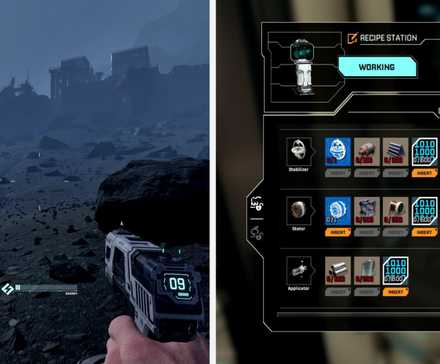
When building a structure, you can rotate it, snap it onto existing structures, and change the height. Once you have built a structure, there is no means of manipulating it. Instead, you will need to destroy the structure and build a new one in the way that you want to build it.
Since the game is in early access, there is a good chance the developer will update it, allowing you to manipulate buildings, but that is not an option at this current time.
Next

Systems

Released January 6, 2026
Developer(s) Creepy Jar
Publisher(s) Creepy Jar
Multiplayer Online Co-Op
Number of Players Single-player








![ELDEN RING NIGHTREIGN: Deluxe Edition [FitGirl Repack]](https://i5.imageban.ru/out/2025/05/30/c2e3dcd3fc13fa43f3e4306eeea33a6f.jpg)
 English (US) ·