.png)
 2 months ago
25
2 months ago
25

Published May 15, 2026, 10:48 AM EDT
PC players must download an update
 Image: Playground Games/Xbox Game Studios
If you're encountering the invalid gaming services error when trying to play Forza Horizon 6 on Windows PC, don't worry: you're not the only one, and there's an easy fix. This error is showing up for plenty of people playing on PC, no matter whether they're playing through Steam or the Xbox app, and it's a new one that hasn't shown up in many games before.
Here's a step-by-step guide on how to fix the invalid gaming services error for Forza Horizon 6 and ensure your software is fully up-to-date.
How to update gaming services for Forza Horizon 6 on PC
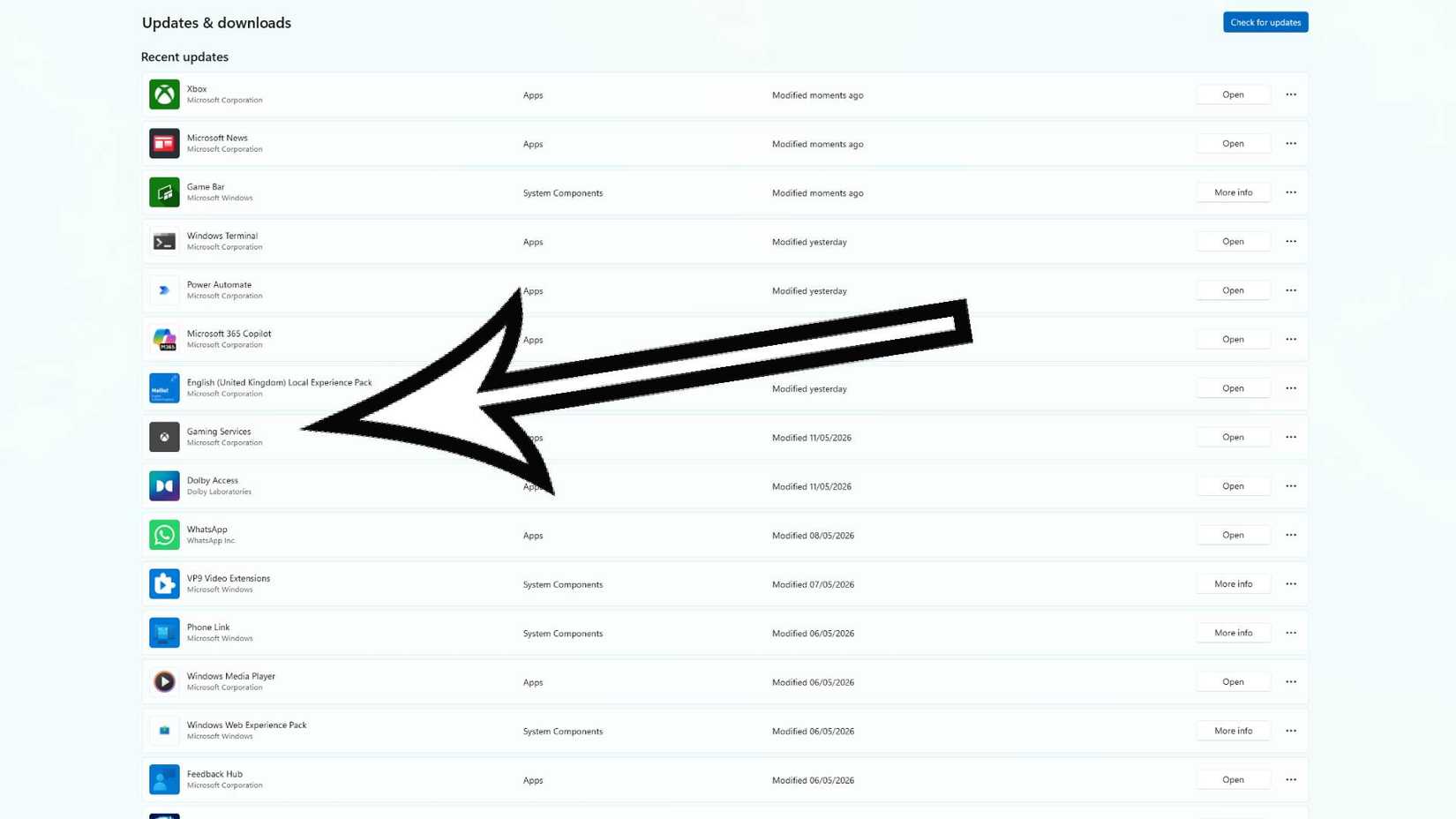 Image: Microsoft via Polygon
All you need to do is ensure your "Gaming Services" is fully updated. Here's what you need to do:
- Search for the Microsoft Store in your taskbar and open it.
- Click "Downloads" in the bottom left corner.
- Click "Check for updates" in the top right corner.
- Find "Gaming Services" in the list and click the "update" button.
If the "update" button isn't showing, this means you're already on the latest version. However, if you cannot see "Gaming Services" listed at all, you must download it from the store.
For Forza Horizon 6 to work, your Gaming Services version number must be at least 36.113.2002.
Once you've updated it, you should be free of the invalid gaming services error and able to play Forza Horizon 6 without interruption. If you're still encountering issues, you can find the official Forza support page here.




![ELDEN RING NIGHTREIGN: Deluxe Edition [FitGirl Repack]](https://i5.imageban.ru/out/2025/05/30/c2e3dcd3fc13fa43f3e4306eeea33a6f.jpg)
 English (US) ·