.png)
.png) 1 month ago
25
1 month ago
25


Published Jun 26, 2026, 1:29 PM EDT
Daniel Trock is a Contributor at DualShockers specializing in PC games, lists, and reviews. He has been writing professionally since 2018 and covering games since 2020, with previous work spanning guides, news, lists, and reviews across multiple publications.
Before joining DualShockers, Daniel contributed guides to GamerJournalist and lists to TheGamer. He currently covers tech topics for SlashGear and BGR. He holds a Bachelor’s Degree in Psychology from Marist College and a Master of Fine Arts in Creative and Professional Writing from Western Connecticut State University.
Sign in to your DualShockers account
I’ve been a Steam user for around 20 years now, not quite since the beginning, but certainly long enough to experience the platform’s lengthy history, ups, and downs. Throughout that lengthy period, the most consistently I’ve been happy for Steam’s existence is when the major seasonal sales roll around. Yes, Steam sales may feed into my infinitely-expanding backlog, but there’s always something exciting about seeing so many sales stacked up, especially when it’s for major and recent releases.
 Related
10 Modern JRPGs with Overwhelmingly Positive Rating on Steam
The voice of the people is the voice of a god-slaying adventure, or something like that.
I’ve developed an entire system around maximizing my purchasing efficiency whenever a Steam sale pops up, ensuring I get the games I’m really interested in while Tetris-ing it all into a semi-reasonable budget. If you’re a newcomer to Steam and haven’t experienced a major seasonal sale before, the sheer breadth of discounts can feel a little overwhelming, but if you just stick to these ten rules, you’ll hopefully make it out the other side with your wallet intact and some fresh new games to enjoy. Or one of those, anyway.
This guide is specifically about major seasonal sales like the Summer Sale and Holiday Sale, but you can apply at least some of these tips to lesser sales as well.
10 Wait an Hour After the Sale Starts
Plan Around Traffic
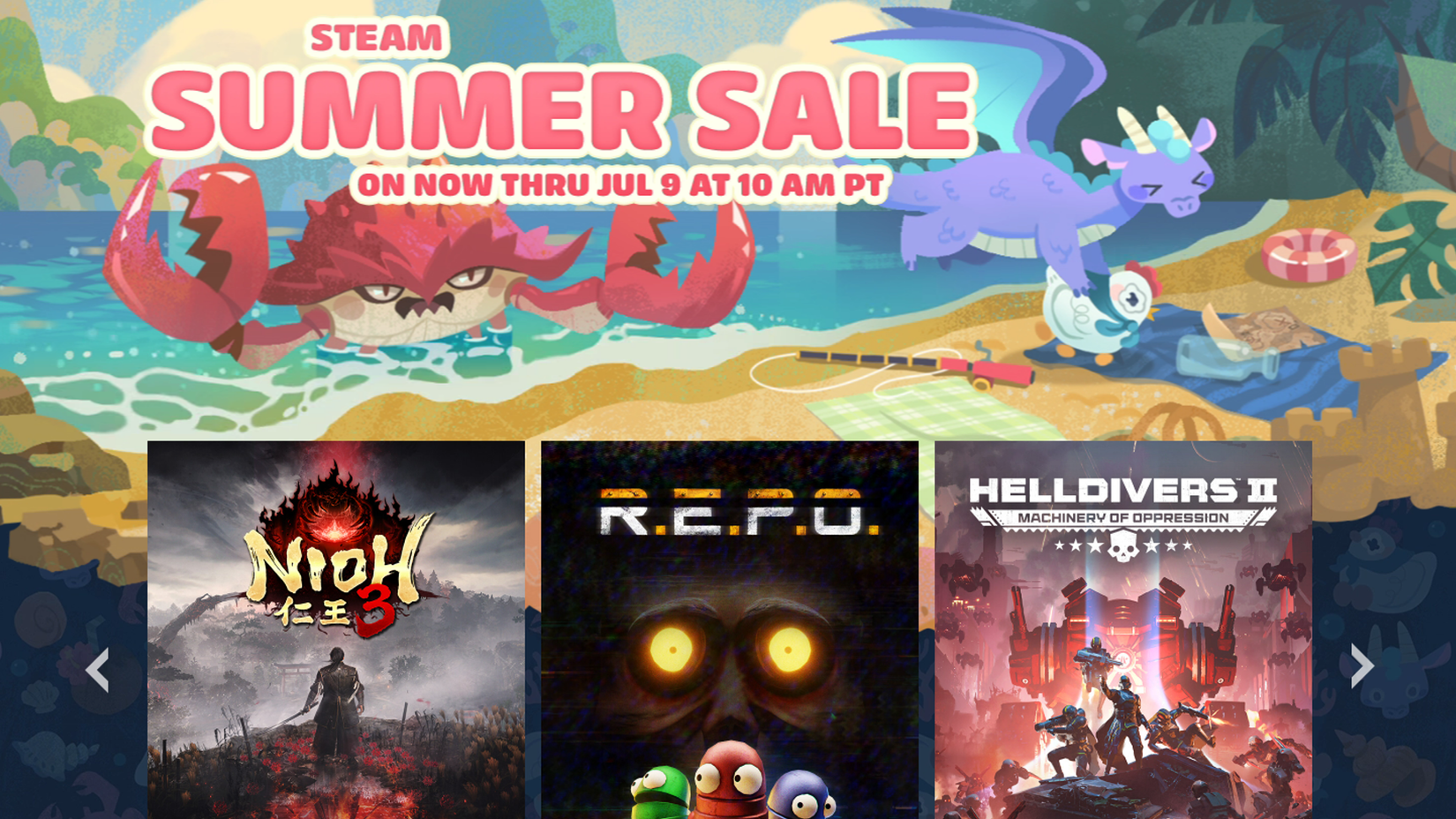
Here’s a fun fact: Steam regularly experiences approximately 40 million active, concurrent users on a given day. What, pray tell, do you think would happen if all of those users were trying to access the Steam store at the exact same time? The answer is gridlock, the likes of which even the worst highways in the country have never seen. This is why, as the old vacation wisdom goes, you need to plan for traffic.
Major Steam sales usually begin at 1:00 PM Eastern time whenever their start dates roll around. Odds are good that not only are a statistically significant portion of that massive userbase going to attempt to connect at the same time, but Steam itself may experience some minor errors and overloads. Attempting to browse and shop during this overloaded period will almost certainly leave you with constant lags and page load errors, and if you attempt to purchase anything, it’s not guaranteed your payments will actually go through. Rather than subjecting yourself to all that, just wait an hour after a major sale starts before you try to buy anything, maybe even two hours for good measure. The sales will still be there, there’s no rush.
9 Prioritize the Wishlist
They’re the Ones you Actually Want
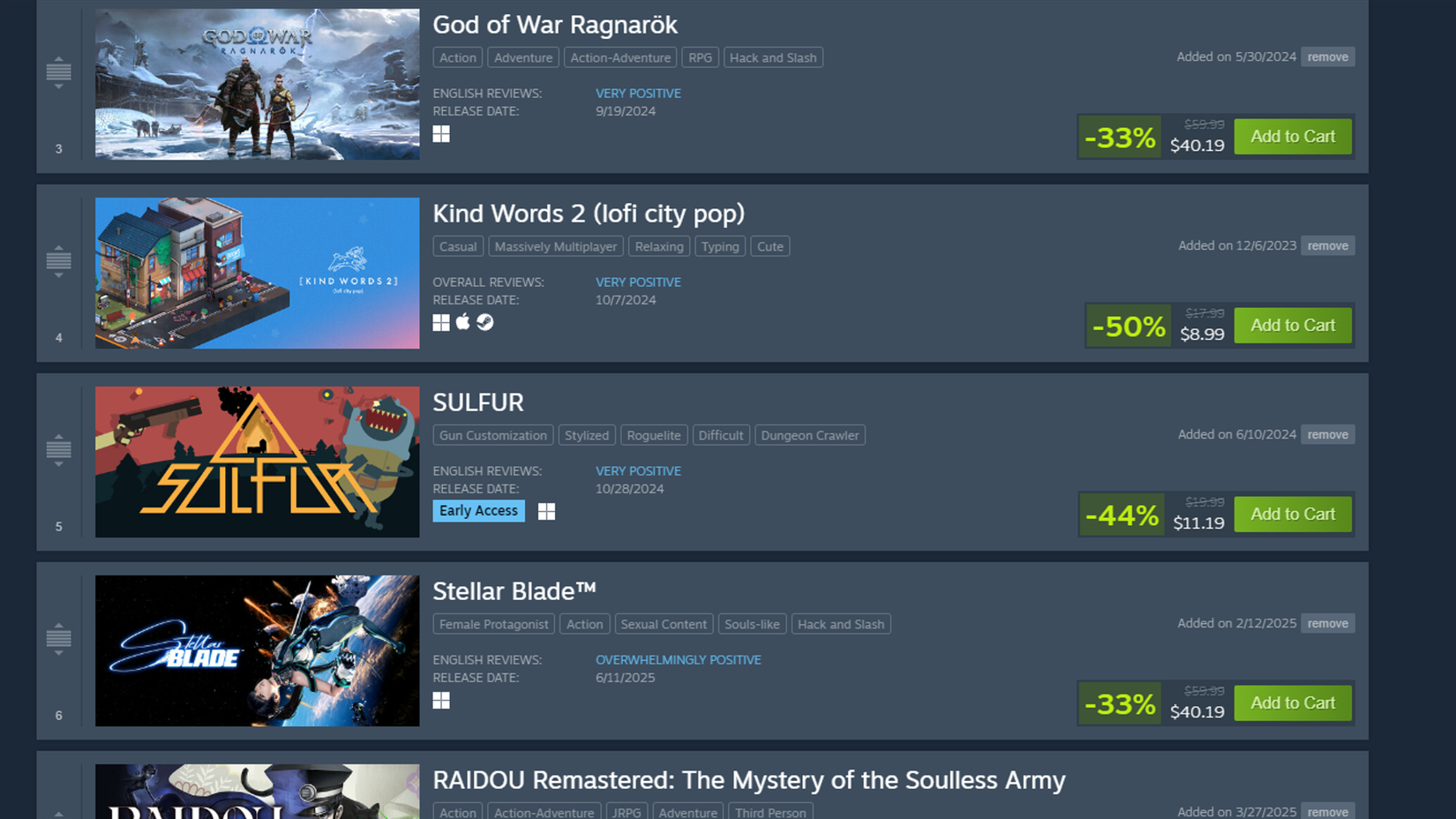
I use my Steam wishlist both to mark the games I want and am interested in and to chart release calendars, creating a schedule of upcoming games for myself. Of course, the former function is the intended one, and assuming you’ve been properly building out a wishlist for yourself, it’s that wishlist that should be your first stop for potential sales.
After a sale begins, any games that are on sale should start reflecting their discounts in your wishlist, giving you a quick view of it all. You should also receive an email with the same information if you have email notifications turned on. Before you go window shopping around the store, focus on those discounts first. They’re supposed to be the games you actually care about, after all. Incidentally, if your wishlist is on the larger size, you can use the sorter at the top of the screen to organize everything on it by current discount. It’s a handy way to find the deeper discounts amongst the rank and file stuff.
8 Check Your Discovery Queue and Interactive Recommender
There are Always Sources for Ideas
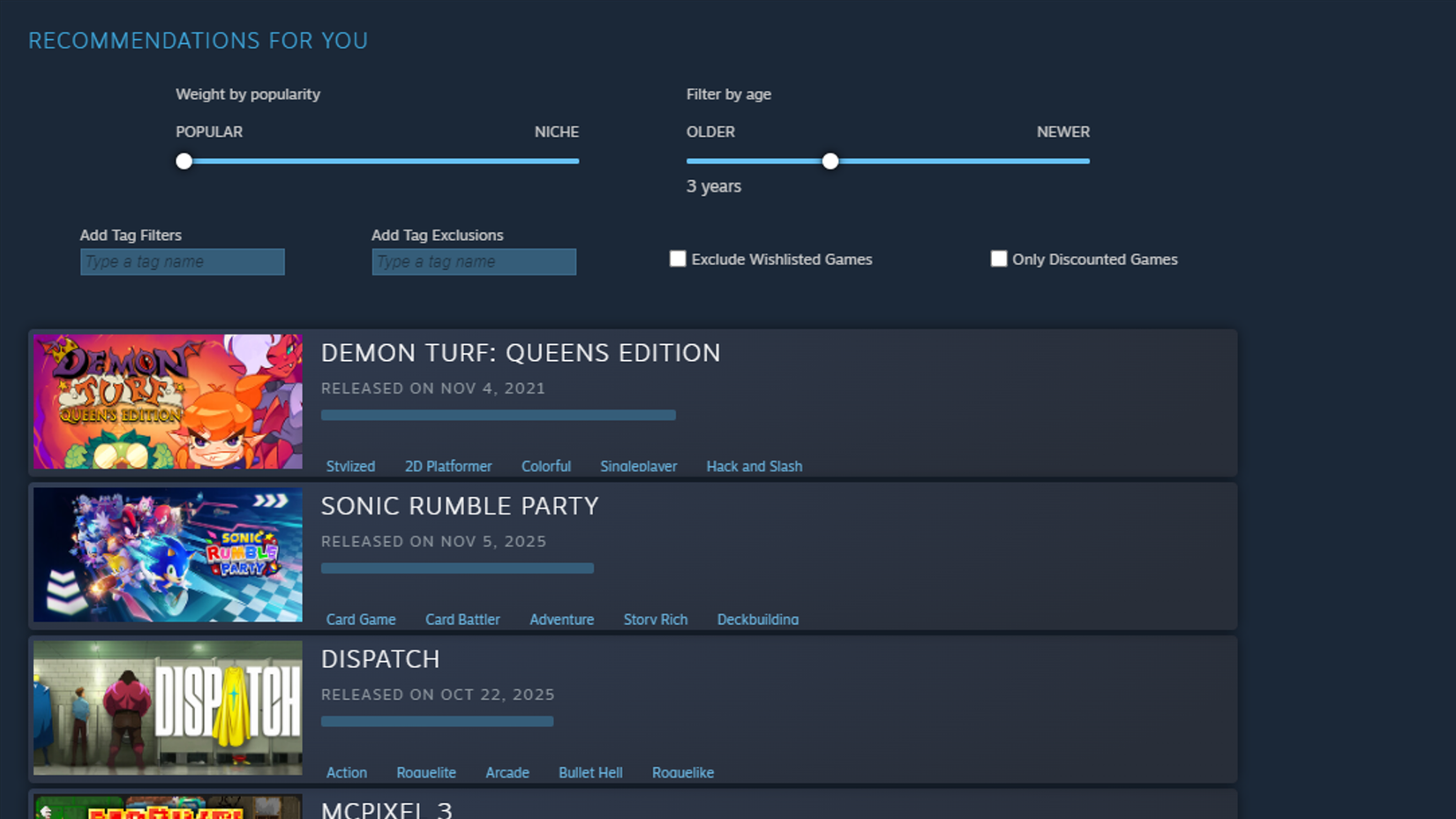
If there’s nothing you want on your wishlist or you’ve already shopped it dry, it’s time to start browsing the store proper. Steam will give you some recommendations on the home page based on your established preferences and recent game activity, though these tend to prioritize big-ticket, AAA games. If you want big-ticket AAA games, great, but if you want to get a little more into the weeds, you’ll want to bust out your exploratory tools.
Your first tool for exploring Steam’s deeper depths is the discovery queue, easily accessible from the Store tab of the Steam client or on the Steam store homepage. The queue will provide you with an assortment of titles that are popular, relevant to your played games, or otherwise generating buzz to see if any of them strike your fancy. Look into the ones that do, and ignore the ones that don’t to better refine your algorithm. After that, check the Recommendations tab on the Steam store homepage for the Interactive Recommender tool. You can use this to add and filter certain game tags, as well as narrow searches based on how niche or popular a game is, as well as how old or new it is.
7 Check for Bundles
Buy in Bulk and Save
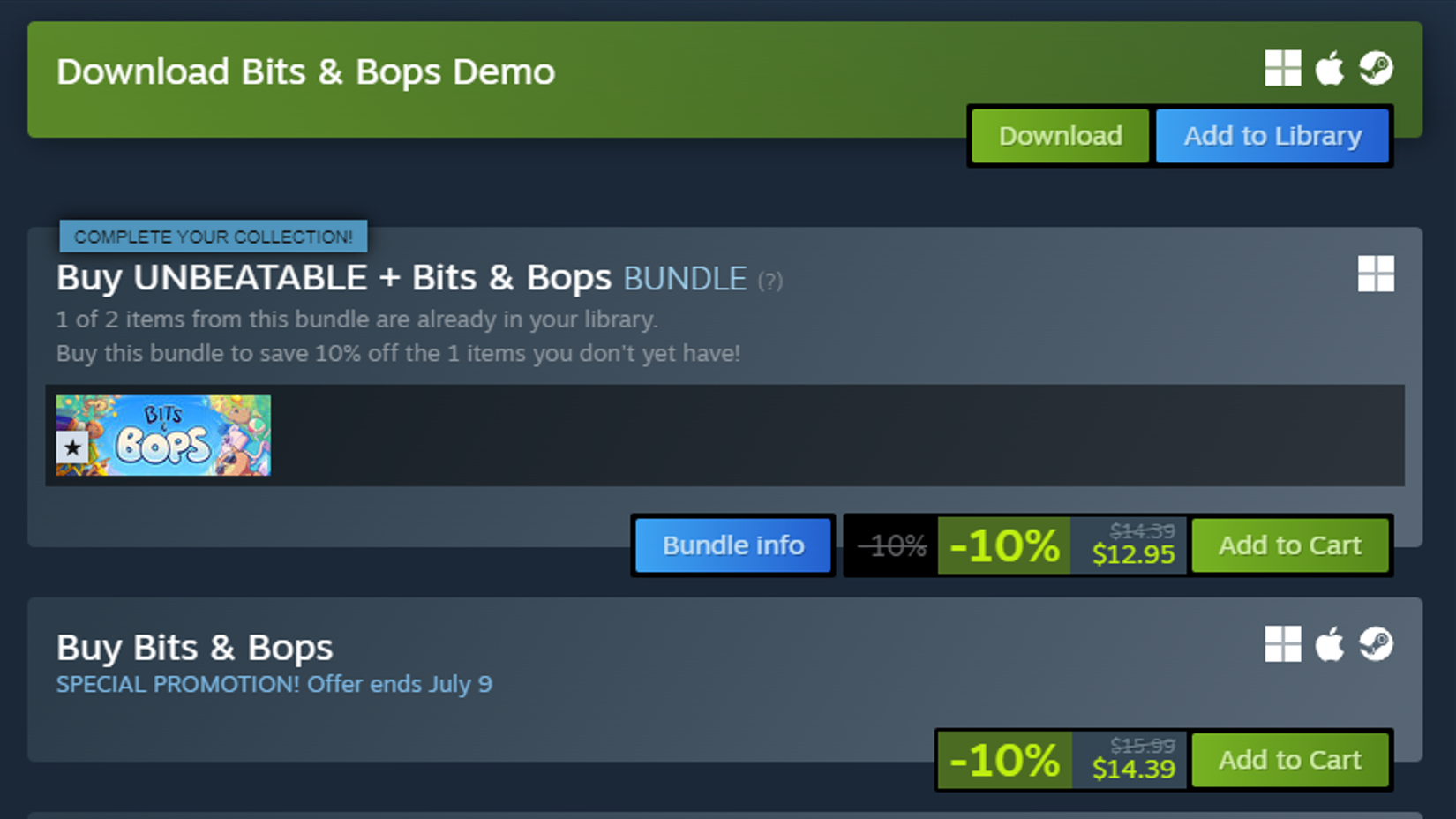
Bundles aren’t exactly Steam’s bread and butter compared to some other retailers, but it still engages in a healthy degree of the practice. Various games, even seemingly unrelated ones from different developers or publishers, can get bundled together for a discounted rate, visible on a game’s individual store page under its regular buy button. These bundles can net some decent savings on a regular day, but when sale season rolls around, that’s when things get interesting.
Bundle discounts are calculated based on the cumulative prices of the bundled games, with any discounts they already have also taken into account. If multiple games in a bundle are on sale, you might be able to get a pretty sweet deal on the lot of them. More than that, though, if you already have a game in a particular bundle, whatever games are still left in the bundle will have an even deeper discount if you opt to “complete” it. These deeper discounts may not always reflect on your wishlist or the Steam Store frontpage, so make sure you check their individual pages before you commit to a singular purchase.
6 If You’re Not Sure, Cool Off
Take a Day to Chew on It
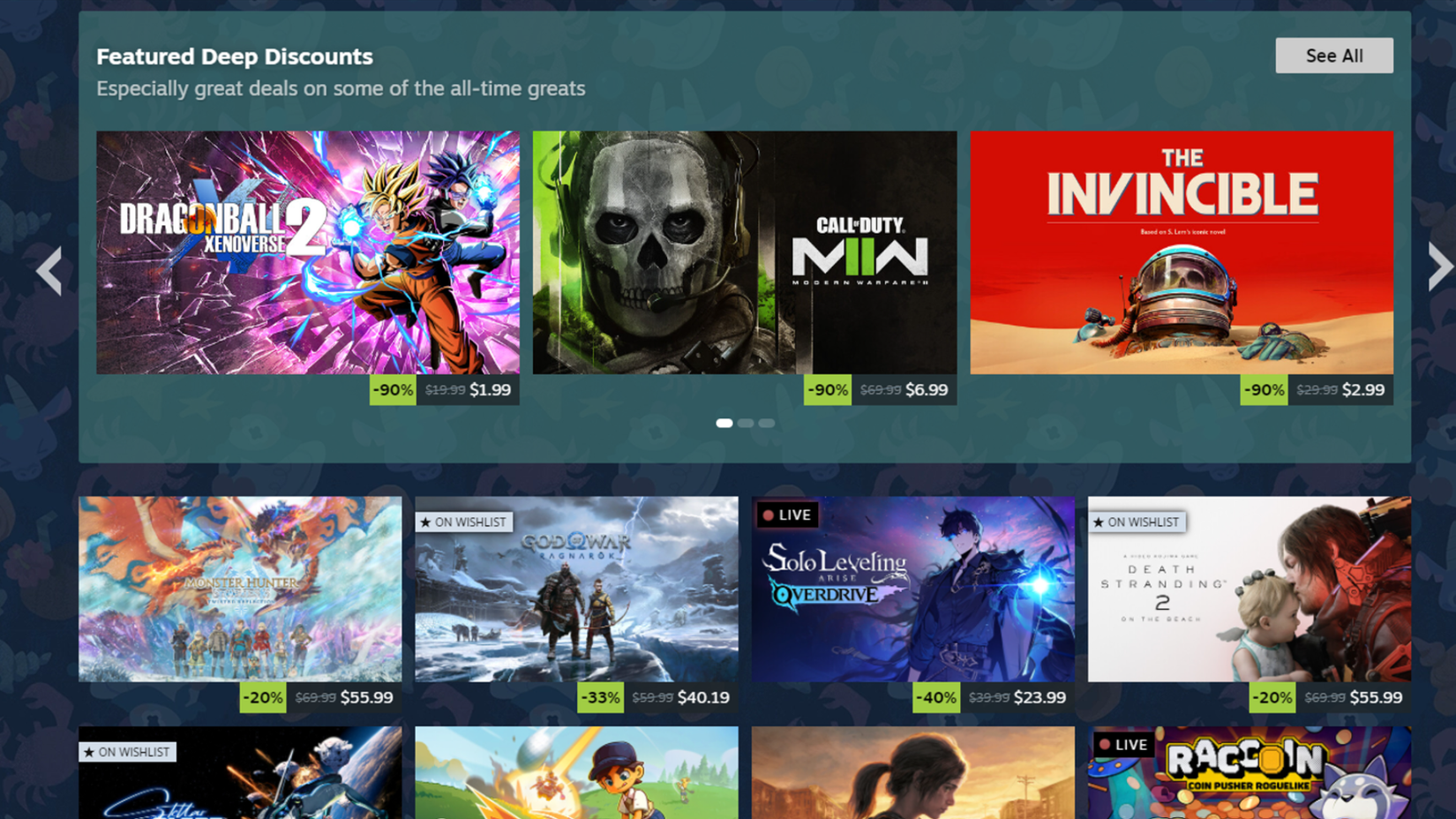
Everyone loves impulse-shopping, and what is a major sale event if not an excuse to do so with reckless abandon? All the same, a little bit of fiscal responsibility can go a long way in this day and age. For as much as we joke about endless backlogs, if you’re not 100% sure that you’re definitely going to play a game at some point (some point soon, preferably), you might want to take a step back and cool off before you make a purchase.
 Related
I find that a good policy is to search through my wishlist and the Steam store for games I’m leaning toward purchasing, marking them down independently, and then letting them marinate in my head for a day or two. Think carefully about how much you’re spending, how much time you have to play more games, and most importantly, whether the games in question are actually any good. Read some reviews, get some feedback, and be realistic; if, at the end, you still want to make that purchase, go for it, but if there’s still doubt, maybe pare back your purchase intentions a bit.
5 If the Sale Stinks, Don’t Bother
Hit the Bricks
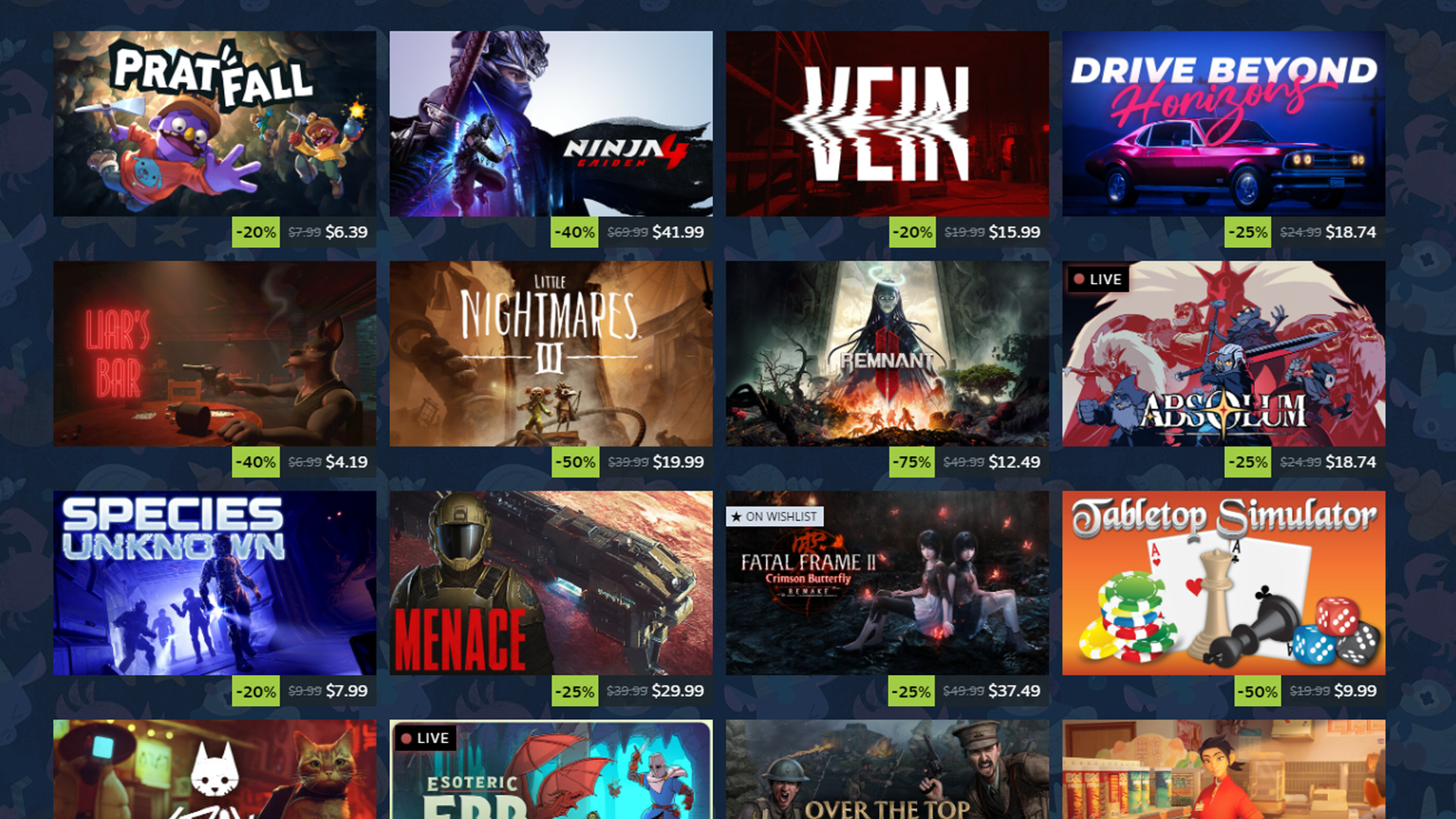
Back in the older days of Steam sales, deals were constantly shuffling in and out, with flash sales forcing everyone to maintain constant vigil over the store just to see what would be coming next. As nice as the discounts were from that, Steam doesn’t do it anymore, so whatever discounts you see on the first day are what you’re going to get for the whole sale.
Now, in the festive atmosphere of a sale, you may feel obligated to make at least one purchase, and certainly, I think not buying at least one game would be a waste. That said, that obligation is contingent on the sale being, y’know, good, and unfortunately, the sales are not always good. Sometimes, the discounts on a particular game, especially newer games, may fall short of your expectations. If the discount doesn’t feel big enough for your tastes, just don’t bother. Unless you have an absolutely crushing need to play a particular game right the heck now, just put it off until the next major sale. It’s a battle of attrition, and there will always be deeper discounts sooner or later.
4 Cross-Reference with SteamDB
Information is Power

Speaking of variable discounts, sometimes Steam, alongside a particular game’s publisher, may set their discounts lower or higher than they have previously. Maybe they’re trying to cash in on a game’s popularity, maybe they’re testing the waters, or maybe they just don’t feel the need to offer a stronger discount. If you’re not sure if waiting for a different sale is worthwhile, try cross-referencing on SteamDB.
SteamDB, as the name implies, is a database of Steam’s general goings-on, including the individual price and discount histories for every game in the catalog. If a discount doesn’t seem quite as deep as you think it should, check the game’s SteamDB page and see where it’s gone before. If its discount has been fairly consistent over a long stretch, it probably won’t go any deeper, but if it’s previously gone deeper than its current discount, you might want to hold off until it goes down there again.
3 Check the Third-Party Storefronts
There May be Better Deals Elsewhere

Because Steam and PC gaming have grown so exponentially over the years, Steam itself is no longer the only place to get PC games anymore. I’m not just talking about other PC gaming clients like Epic Games Store here; there’s an entire microcosm of third-party storefronts selling PC game keys that you can redeem on Steam. To clarify, I’m talking about fully-licensed, legit storefronts like GreenManGaming, GameBillet, and Fanatical, not grey markets where users sell keys to each other.
These third-party storefronts not only routinely feature better discounts than Steam itself, but also frequently run their own seasonal sales around the same time Steam does. Before you make a purchase on Steam, you should check these third parties just to see if you can get an even better deal elsewhere. If you need a little help staying on top of all these storefronts, you should make a waitlist on IsThereAnyDeal. This site keeps tabs on trustworthy third-party storefronts, and in a similar vein to SteamDB, keeps records on price and discount histories for individual games.
2 Commit to your Purchases
Don’t be a Serial Refunder

Steam maintains quite possibly one of the most generous refund policies in gaming as a whole. Any game purchased on Steam, so long as it’s been played less than 2 hours and owned less than 2 weeks, can be refunded for any reason, no questions asked. This is primarily intended for people who accidentally purchase games their rigs can’t handle, or games that are outright broken or glitchy on release, but technically, you could refund a game just because you didn’t like it.
However, I’m gonna be a bit of a party pooper here, and insist that you do not abuse this policy, especially when a seasonal sale is going on. The whole reason I said before that you should marinate on your potential purchases before making them is that you should commit to whatever you buy, even if you end up not liking it. If the game is completely broken, fine, refund it, but otherwise, suck it up. If too many people abuse that refund policy, Steam may rescind it someday, and that would be a big loss for all of us, so don’t be a jerk. We already lost physical Steam gift cards to bad actors.
1 Ask Your Friends Before Buying Gifts
A Little Personal Advice

This is a bit more of a personal piece of advice that may not apply in all situations, but if you’re planning on using a Steam sale as an opportunity to purchase gift games for your friends, you might just want to ask them if they want it first. Surprising your friends with new games is a really nice gesture, but it also comes with certain unspoken obligations that not everyone may appreciate. Much like how you shouldn’t buy games if you don’t have the time or interest to play them, a friend might not like feeling obligated to play a game that you get for them, and then everyone just ends up feeling awkward.
Also, and this might just be because my friends are weirdos, but not everyone uses their wishlist for the intended purpose. I know someone who has several hundred games on their wishlist, which they apparently just sort of add at random. I even asked them once if they wanted a particular game on their wishlist, and they had no idea what game I was talking about. Just… check first if someone wants a particular game, yeah?
 Next
Next
10 Best Free-to-Play Time Sinks
Dive into these free-to-play games that offer endless progression, vast worlds, and thrilling gameplay to keep you entertained for hours on end.
Brand Valve
Original Release Date September 12, 2003
Original MSRP (USD) N/A
Hardware Versions Steam





![ELDEN RING NIGHTREIGN: Deluxe Edition [FitGirl Repack]](https://i5.imageban.ru/out/2025/05/30/c2e3dcd3fc13fa43f3e4306eeea33a6f.jpg)
 English (US) ·