.png)
.png) 4 months ago
48
4 months ago
48


Covering the video games industry since 2017, with experience in news, articles, lists, and reviews (and I blame The Legend of Zelda: Majora's Mask for that).
If you are a fan of RPGs and want a third-person version: Tayná Garcia is a Brazilian journalist (but you can call her Tay) who ended up working with video games after finishing Zelda: Majora's Mask when she was a kid. With more than eight years of experience in the segment, she has been an assistant editor at Jovem Nerd in the past and is currently a contributor at DualShockers and a writer for gaming magazines for Editora Europa. Oh, and she may like Hideo Kojima a bit too much.
We are only a few months away from the launch of Marathon, Bungie’s highly anticipated extraction shooter, which finally led to pre-orders going live on Steam.
So far, so good, right? Everything seemed to be going according to plan until an unusual error caused Destiny 2 (which is another Bungie title) to automatically install on the PCs of users on Steam who purchased Marathon in advance!

Related
Destiny 2: Every Dungeon, Ranked
Dungeons are a key part of Destiny 2's endgame activities. Offering unique challenges for your fire team, the best ones really put you to the test.
Of course, the glitch quickly went viral on social media and gaming forums, with players having a good laugh about it.
Some users from X (formerly Twitter) wrote that the pre-order “installs a virus on your computer named Destiny 2”, while another one joked that “Marathon's development was so cursed it created a malevolent spirit in the code. If it catches you, it will force you to install Destiny 2”.
Despite the memes and the laughs, the unexpected error caused a lot of confusion among players, who have been scratching their heads until now to figure out what happened.
Bungie Deploys a Swift Fix for the Pre-Order Bug
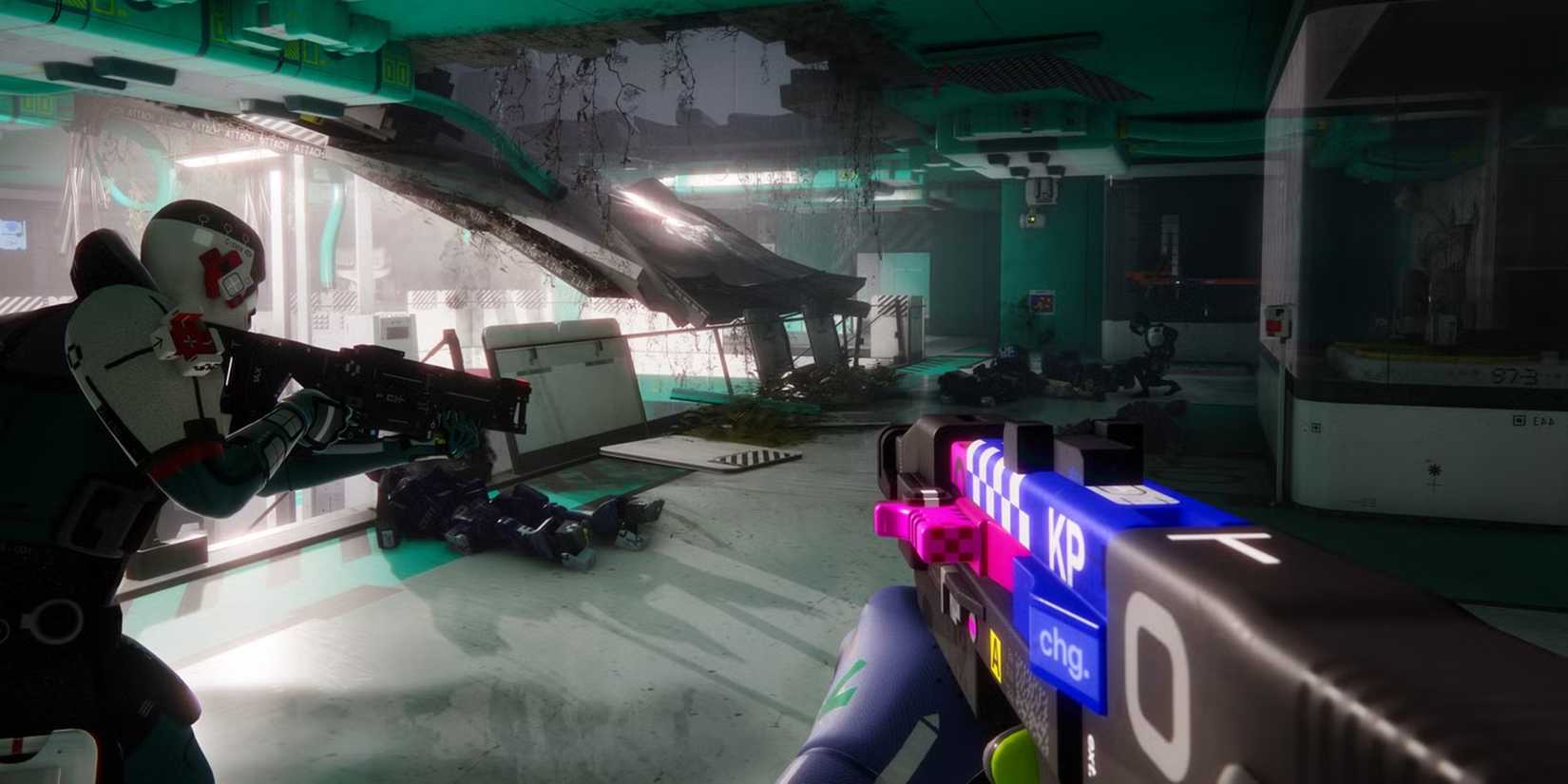
It didn't take long for the situation to reach the folks at Bungie, who quickly announced that the forced installation was indeed a bug and has since been resolved.
In addition to fixing the Destiny 2 error, the team also addressed another issue that was preventing owners of the Collector’s Edition from successfully redeeming their game codes on Steam. This means that pre-ordering Marathon now should no longer generate any unexpected errors.
“We've resolved an issue where Destiny 2 would begin installing after pre-ordering Marathon on Steam,” read the official post on X. “We have also resolved an issue where Collector's Edition owners would receive an error when attempting to activate their game code on Steam.”
In addition to fixing the Destiny 2 error, the team also addressed another issue that was preventing owners of the Collector’s Edition from successfully redeeming their game codes
Even with the fix, the internet did not let the blunder slide, continuing to joke about the situation. “This is a hilarious bug. Glad it's fixed, gave me a good laugh,” wrote one user, while another admitted he “thought this was a parody post.”
Jokes aside, many players are still looking for an explanation as to how this error occurred in the first place. After all, it isn't every day that pre-ordering a title forces the installation of an entirely different game, especially considering that Marathon and Destiny share no connection other than being developed by the same studio.
In any case, Marathon is still set to launch on March 5th, 2026, for PlayStation 5, Xbox Series X|S, and PC, featuring full cross-play and cross-save support. Pre-orders remain available across all digital platforms – this time, apparently, without any uninvited downloads.
As part of the launch campaign, PlayStation also announced a new limited-edition DualSense with Marathon’s futuristic aesthetics, with pre-orders starting on January 29, 2026, at 10 am local time. And well, for the sake of the fans, let's just hope that ordering a controller doesn't result in any more unexpected "bonuses" arriving at their doorstep!
Next







![ELDEN RING NIGHTREIGN: Deluxe Edition [FitGirl Repack]](https://i5.imageban.ru/out/2025/05/30/c2e3dcd3fc13fa43f3e4306eeea33a6f.jpg)

 English (US) ·