.png)
.png) 5 months ago
111
5 months ago
111


Published Feb 5, 2026, 1:40 PM EST
After a while of playing No Rest for the Wicked, you will start to get into build crafting. Now that you have a bunch of resources like Stag Skulls and gemstones, you will probably want to enhance and enchant your gear.

Related
No Rest for the Wicked: All Status Effects, Explained
Take advantage of status effects in No Rest for the Wicked.
The game features a deep enchantment mechanic that allows you to rip enchantments out of magical items, corrupt common items, and implant gemstones to increase your power. When you reach the end of the game, this becomes very important.
Let's break down everything you need to know about enchantments in No Rest for the Wicked, so you can make yourself more powerful.
Creating Magical Items
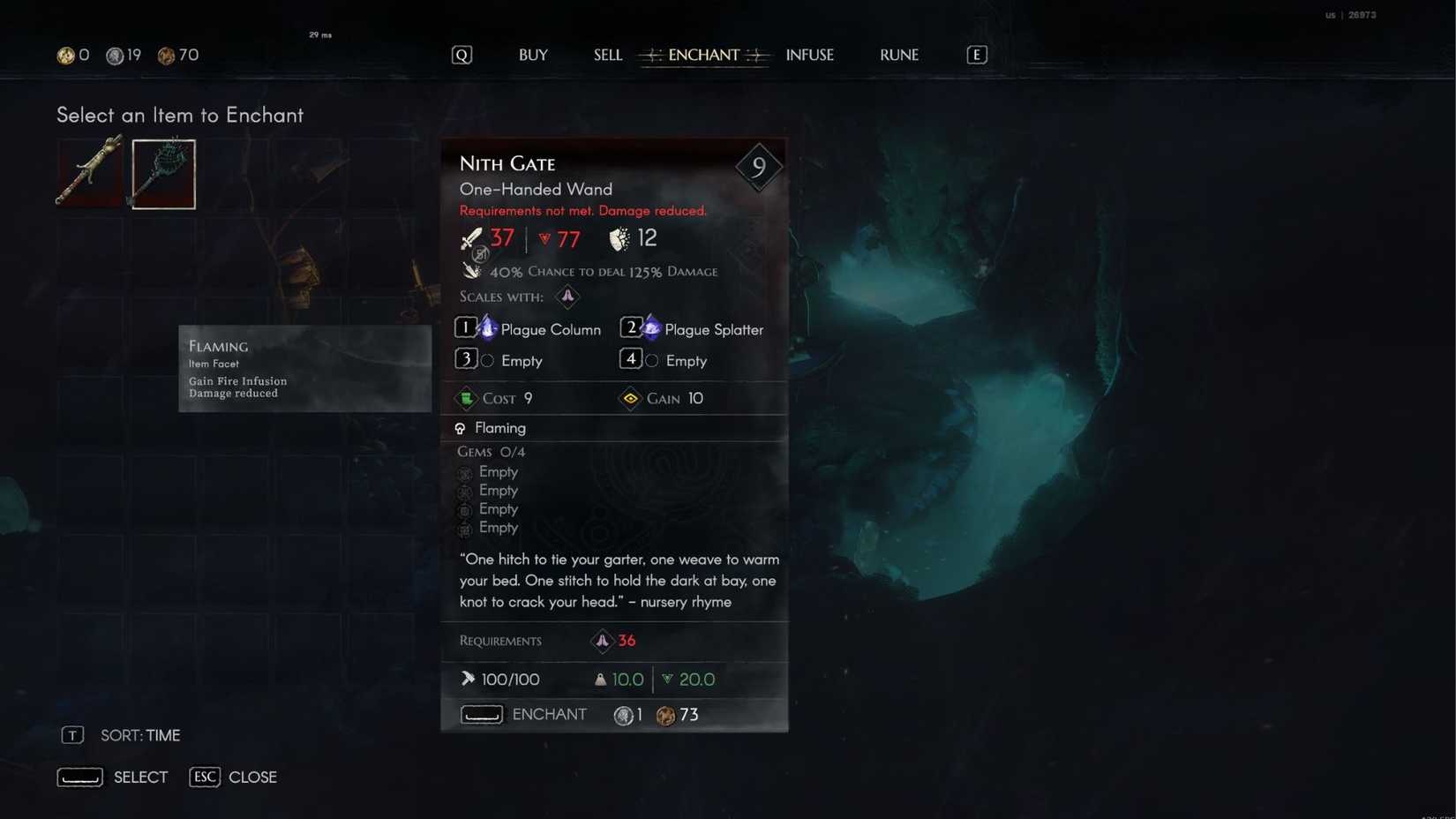
Enchanting an item requires you to use Embers. There are various types of Embers in No Rest for the Wicked, with each of them having a unique ability to help with enchanting items.
There are two ways to create magical items, with the first being through the use of an Awakening Ember. This item transforms a common item into a magical item with three enchantments.
Upon using the Ember, the item it is used on will turn blue, indicating that it is now a magic item. It is important to note that Awakening Embers cannot be used on magical or plagued items.
The second method of creating a magical item is through Eleanor. She is one of the shop owners in the marketplace in Sacrament, and upgrading her shop will allow you to perform more enchantments and infusions.
Speak with Eleanor and choose the "enchant" option. This will allow you to enchant any of the common items in your inventory. It is important to note that items enchanted by Eleanor have a chance to become magical or plagued.
Creating Plagued Items
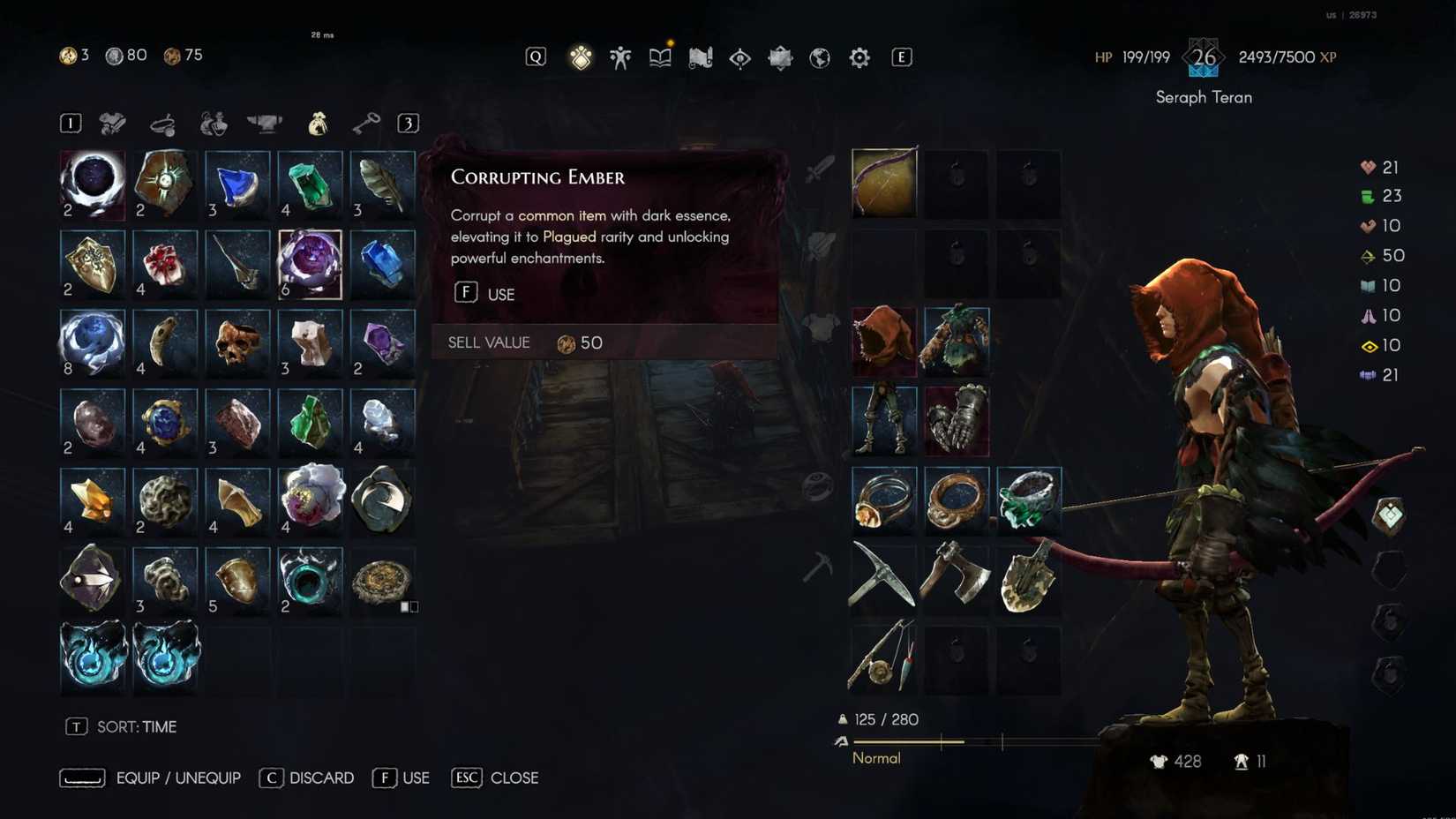
Plagued items are a bit different than magical items. These items are marked by a reddish color and have three enchantments that are more powerful than standard magic items.
This power comes with a drawback, however. Every plagued item has a negative effect applied to it. This can make the item unrepairable, reduce your stamina, or any number of things.
Plagued items are created by using a Corrupting Ember. Of course, Eleanor can also create plagued items, but this is randomized in the same way as creating a magic item is.
Related
No Rest for the Wicked: Where to Farm Research Papers
Where you can farm Research Papers in No Rest for the Wicked?
Changing Enchantments
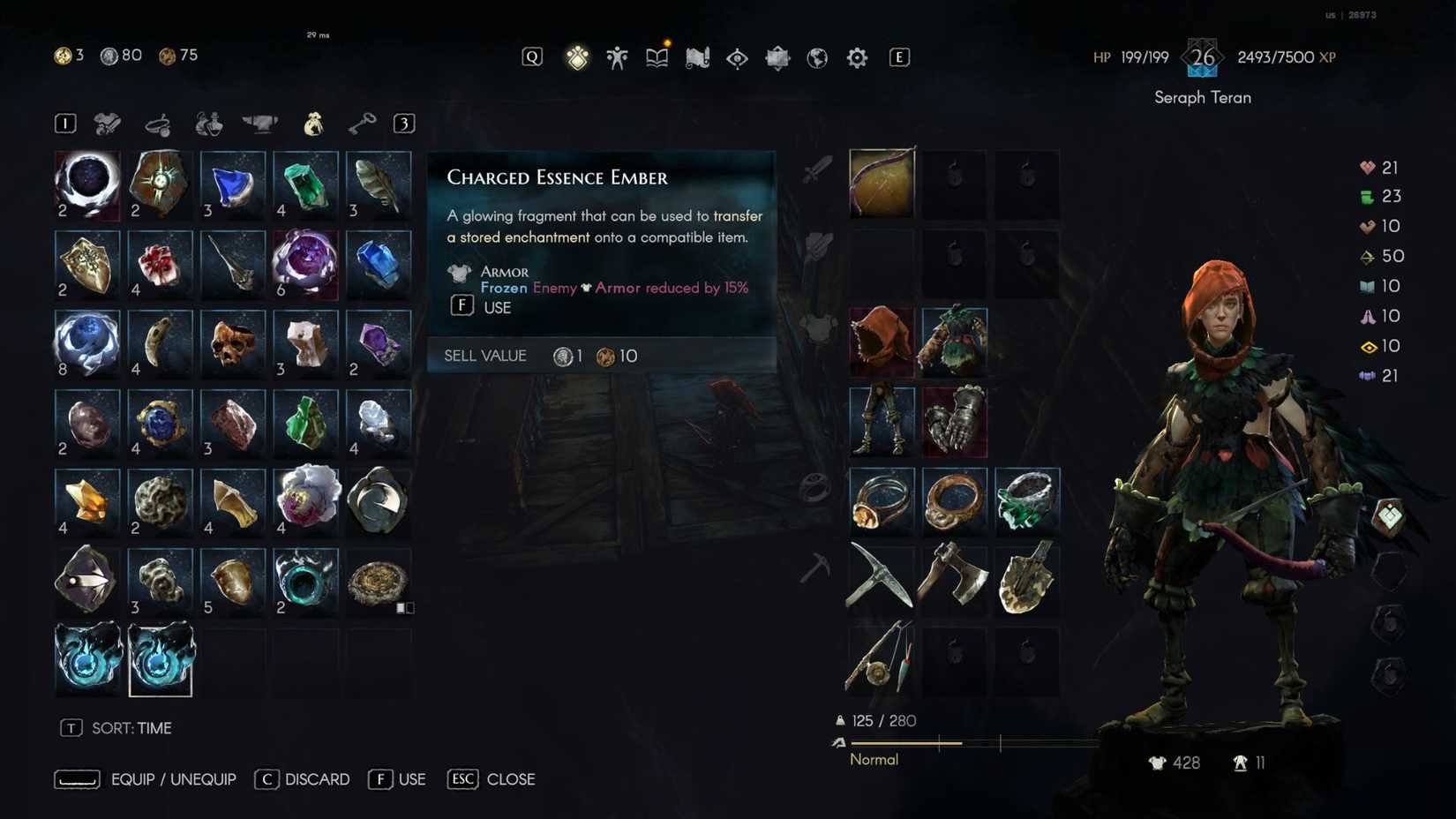
One of the key aspects of creating a build is choosing what enchantments you want on your items. Unfortunately, regular enchantment is random, but there is a way to apply specific enchantments to your gear.
This is done through the use of Essence Embers. This type of Ember allows you to remove specific enchantments from items at the cost of destroying them. You can then apply said enchantments to other magical or plagued items in your inventory.
When using an Essence Ember, select a piece of gear in your inventory, and select the enchantment you wish to remove. This will store the enchantment in the Ember, but it will destroy the item in the process.
Once you have an enchantment stored inside an Essence Ember, you can use the Ember to apply the enchantment to another piece of gear. There are some restrictions.
For starters, enchantments removed from plagued items can only be applied to other plagued items. You can tell if it is a plagued enchantment by the color of the text. If the text is red, it is a plagued enchantment.
Some enchantments are also restricted by the gear they can be applied to. For instance, some enchantments can only be applied to gloves while others can be applied to any piece of armor.
You can also change enchantments by using a Fallen Ember. Fallen Embers allow you to change specific enchantments on gear, but they are changed to another random enchantment. This method can also be used to change the negative effect on a plagued item.
Enhancing Enchantments
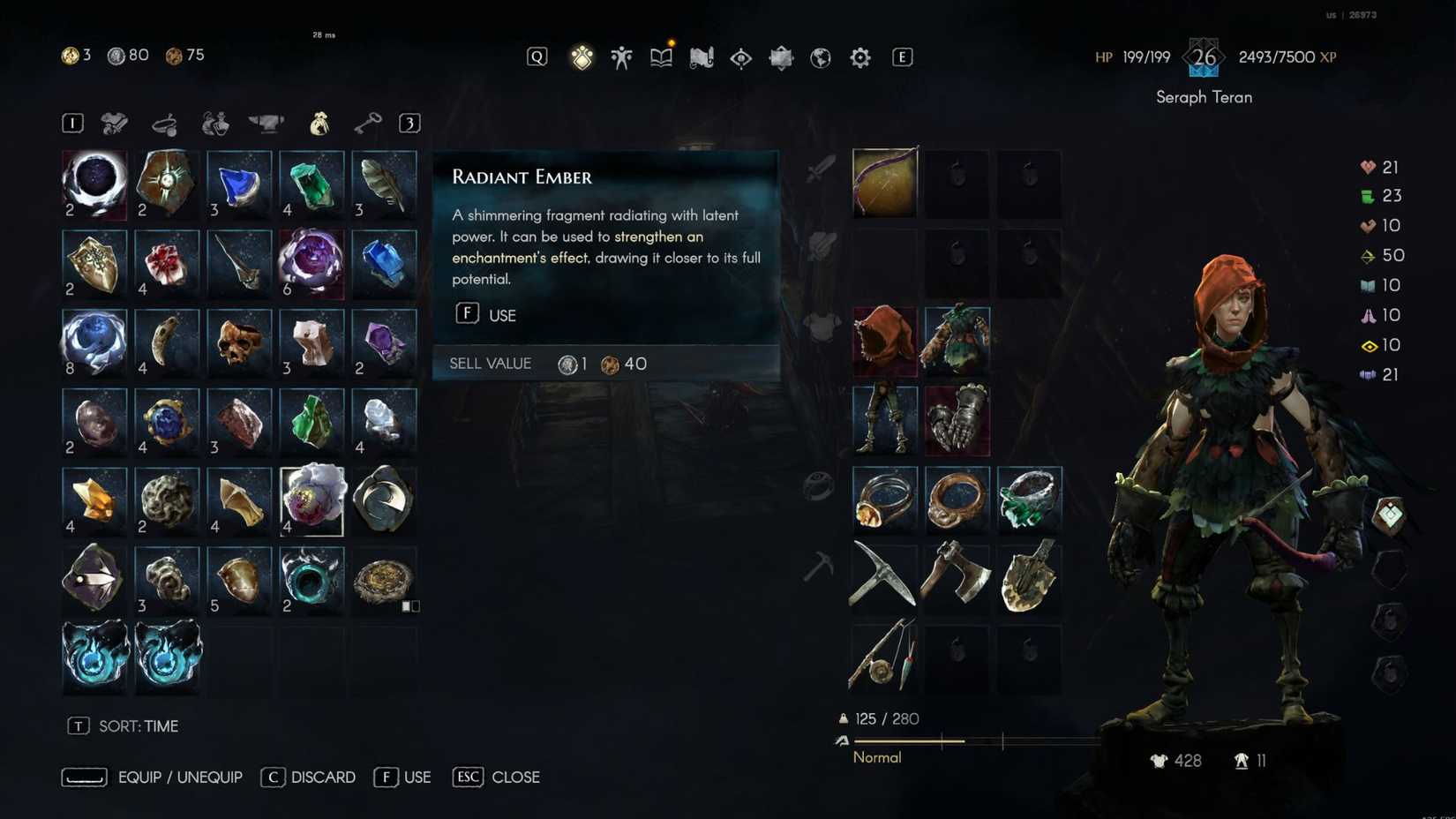
You can also enhance the enchantments on your gear. However, this is not done through Eleanor. Instead, you will need to use Sublime or Radiant Embers.
Sublime Embers will allow you to greatly enhance a random enchantment on an item. For instance, this enhancement improved our Thorns ability from 19% to 43%.
Radiant Embers, on the other hand, are used to enhance specific enchantments. When you use one, you can choose the enchantment that is enhanced, but the enhancement is not as strong as it is when using a Sublime Ember.
Applying and Removing Infusions
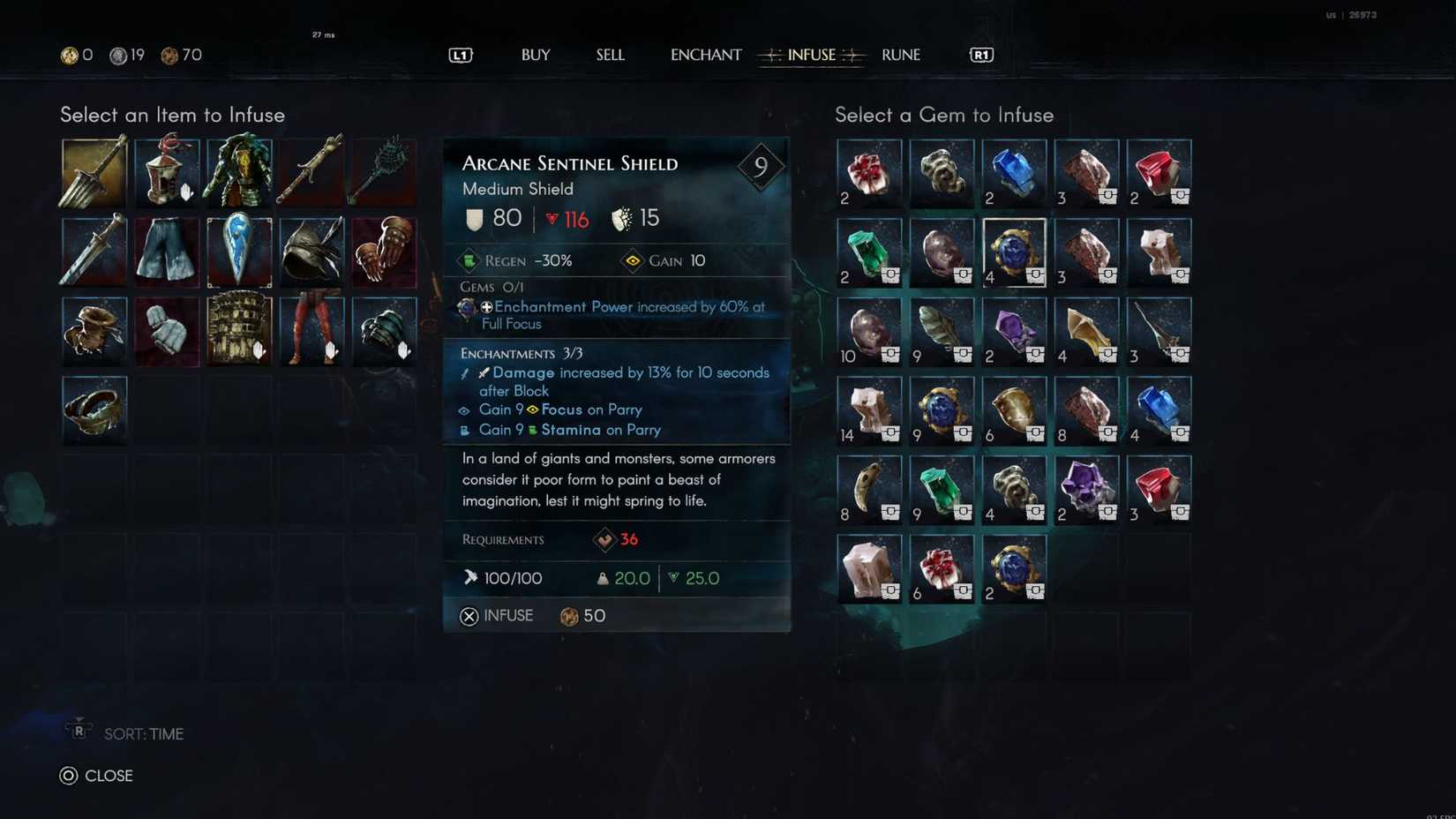
Along with enchantments, you can infuse your gear with special effects to further your build. These are separate from enchantments and require special items obtained from enemies and chests.
Once you have items for infusion, visit Eleanor at her shop in Sacrament. From here, select the "infuse" option. You can then choose an item from your inventory to infuse your gear with.
Some gemstones will apply effects such as lifesteal, while others will apply elemental effects. What happens when you accidentally apply an infusion that you don't like?
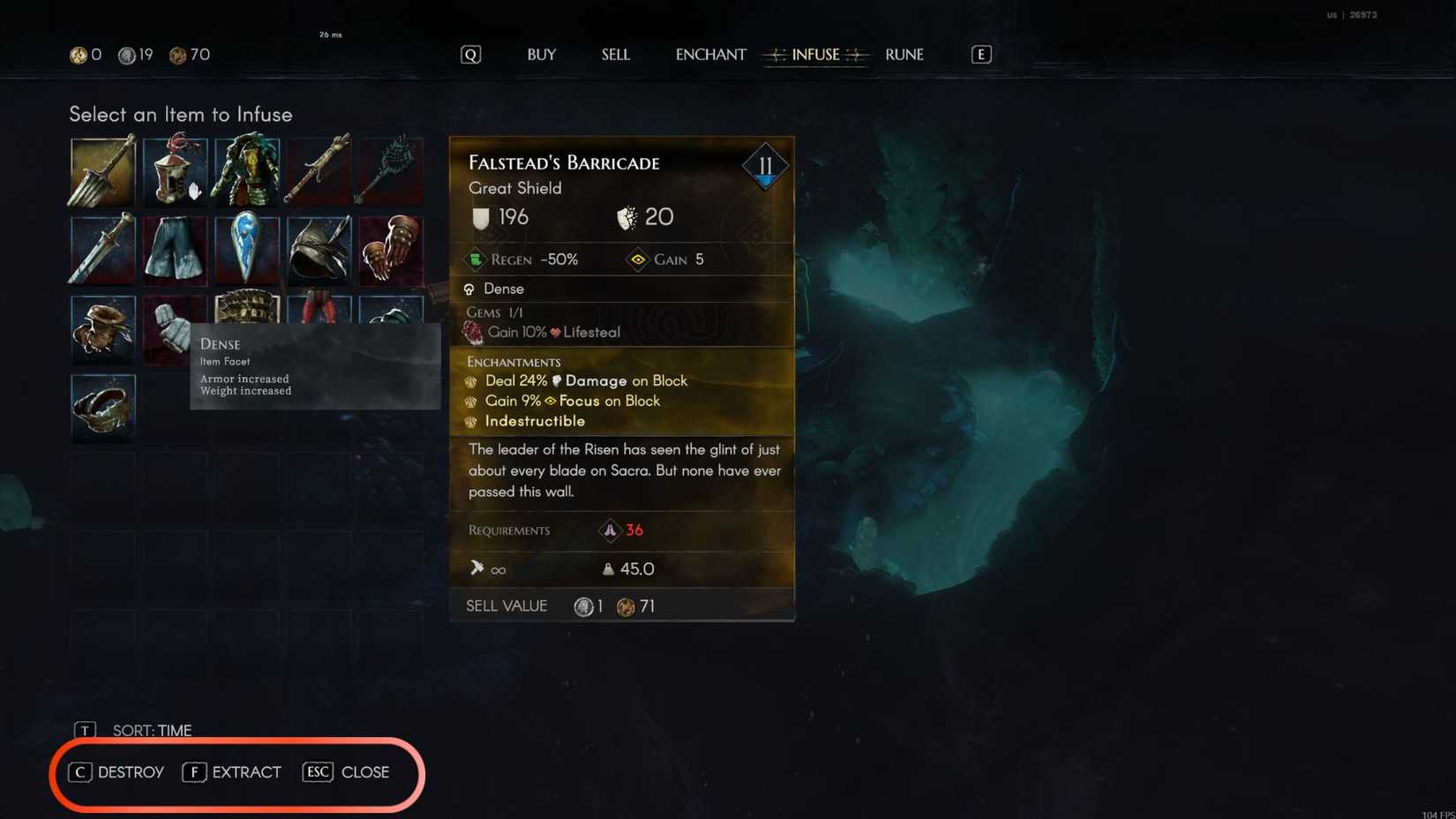
If you want to remove an infusion, you can do so by accessing the infusion menu via Eleanor's shop. From here, highlight the item you want to remove the infusion from and choose either the destroy or extract option.
It is important to note that choosing the destruction option will destroy the gemstone on the item. The extraction option will remove the gemstone, but it will destroy the gear piece in the process.

Systems


Released April 18, 2024
ESRB M for Mature








![ELDEN RING NIGHTREIGN: Deluxe Edition [FitGirl Repack]](https://i5.imageban.ru/out/2025/05/30/c2e3dcd3fc13fa43f3e4306eeea33a6f.jpg)
 English (US) ·